





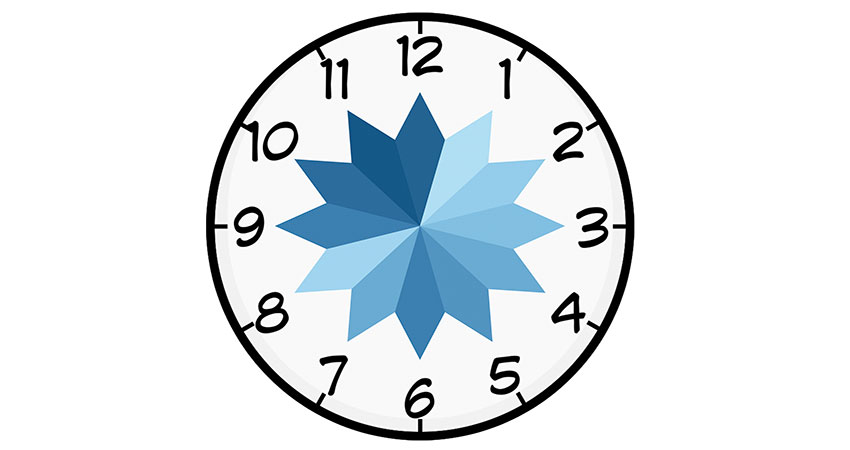
-
23/05/2019
If we need to analyse data by hours, we can create a Clock Chart to give a better context. We start with a Data Set with the dimension Time and data with a KPI that we need to visualize. We would have to add a Link column with value 1 in order to do a Join with a 5 point template. The objective is to create a 5 point polygon for each hour.
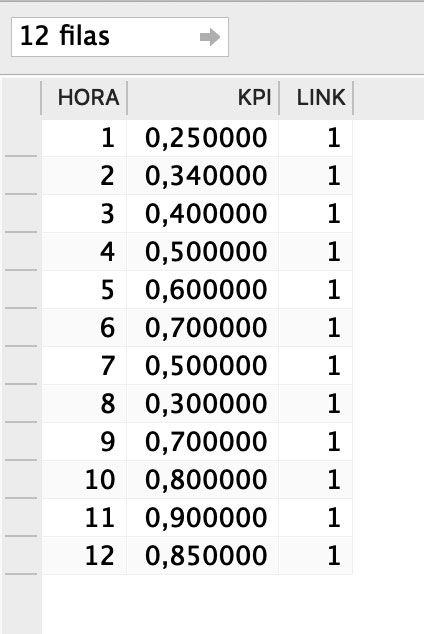
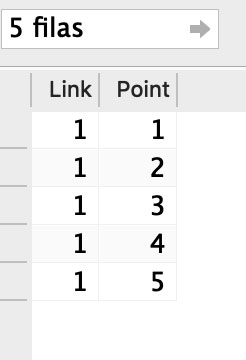
We create the Inner Join between the DataSet and Template using Link as common field
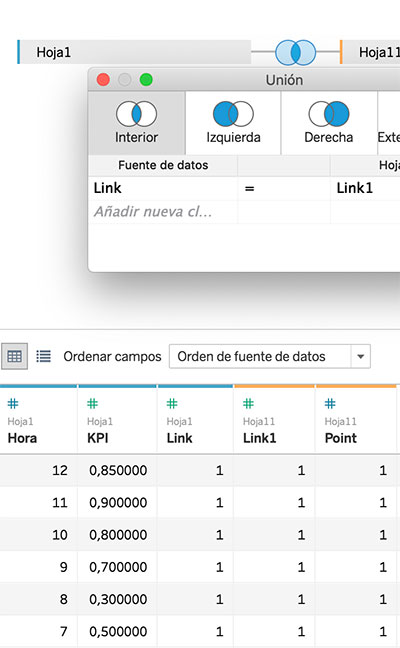
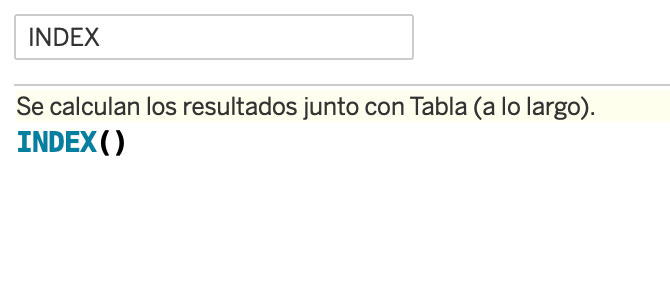
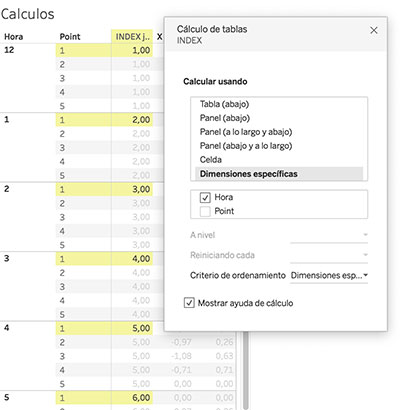
We create the calculated field INDEX, which will computed using Hora
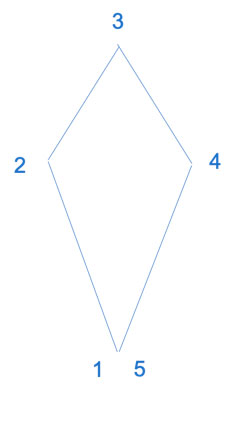
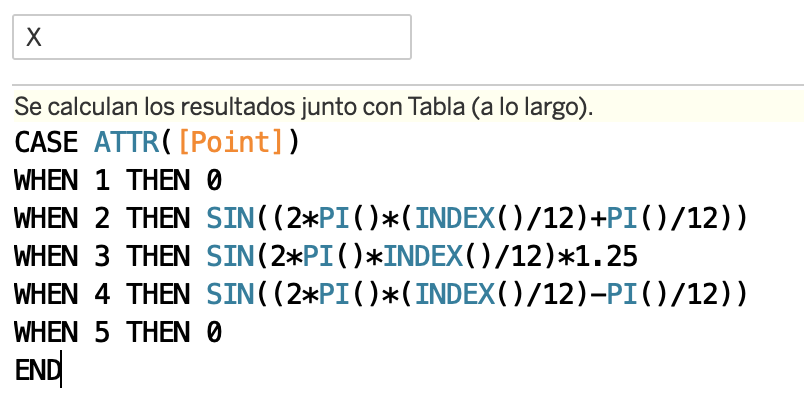
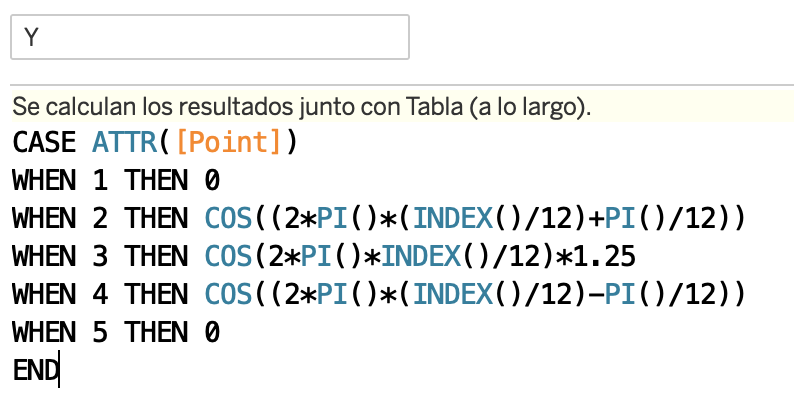
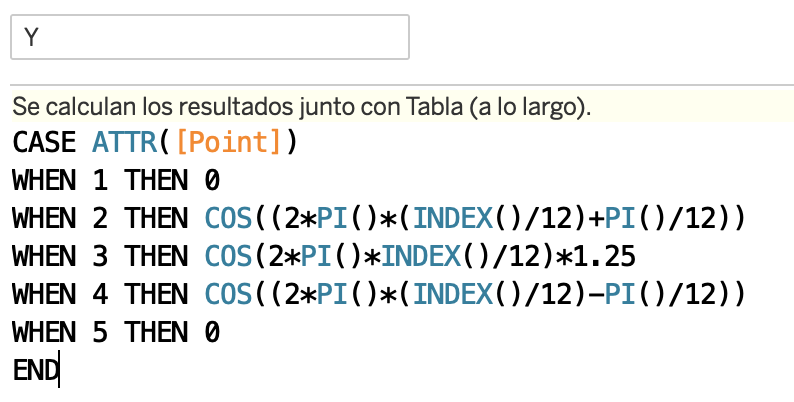
Now, we calculate value X and Y within a circumference. In point 1 and 5 there will be a 0 value for every hour. We will multiply point 3 by a factor 1.25 to create the peak effect. Points 2 and 4 will have a gap of 15º in relation to the peak (point 3). Both table calculations will be computed using the field hour.
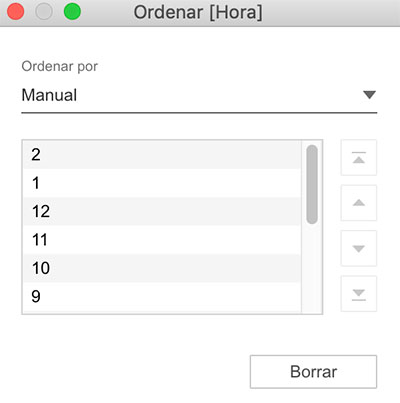
Sort the field Hour to show each hour in its place:
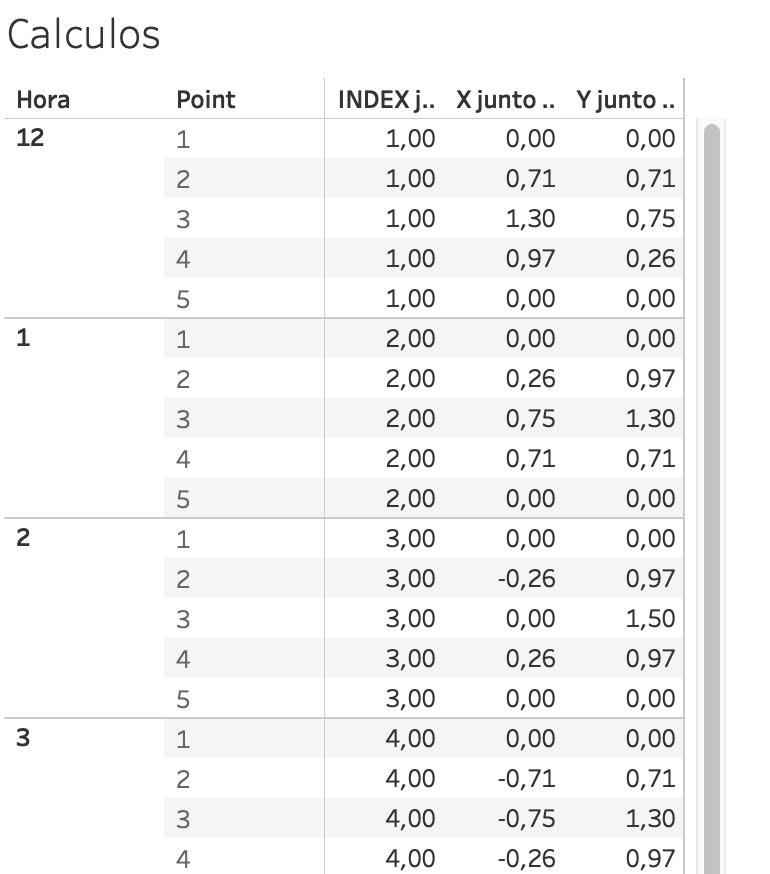
Review Table Calculations:
- X and Y computing using Hour
- Index computing using Hour
At this time you should have a table as follows:
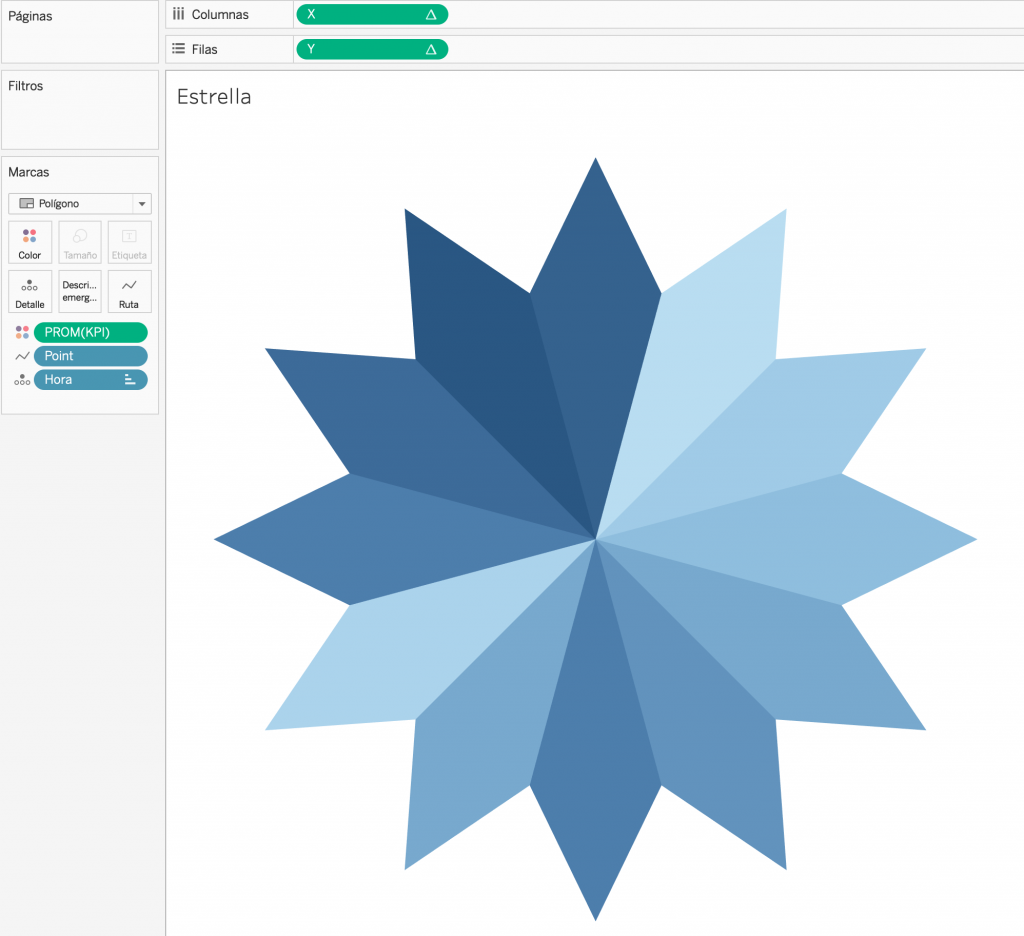
Lastly, We duplicate the view and with the new one, create the view:
- X to Columns
- Y to Rows
- Type of Mark Polygon
- AVG(KPI) to Color
- Hora in Detail
- Point in Detail
We can create a parameter to adjust the visualisation aspect to our measure, versus the fixed factor 1.25.
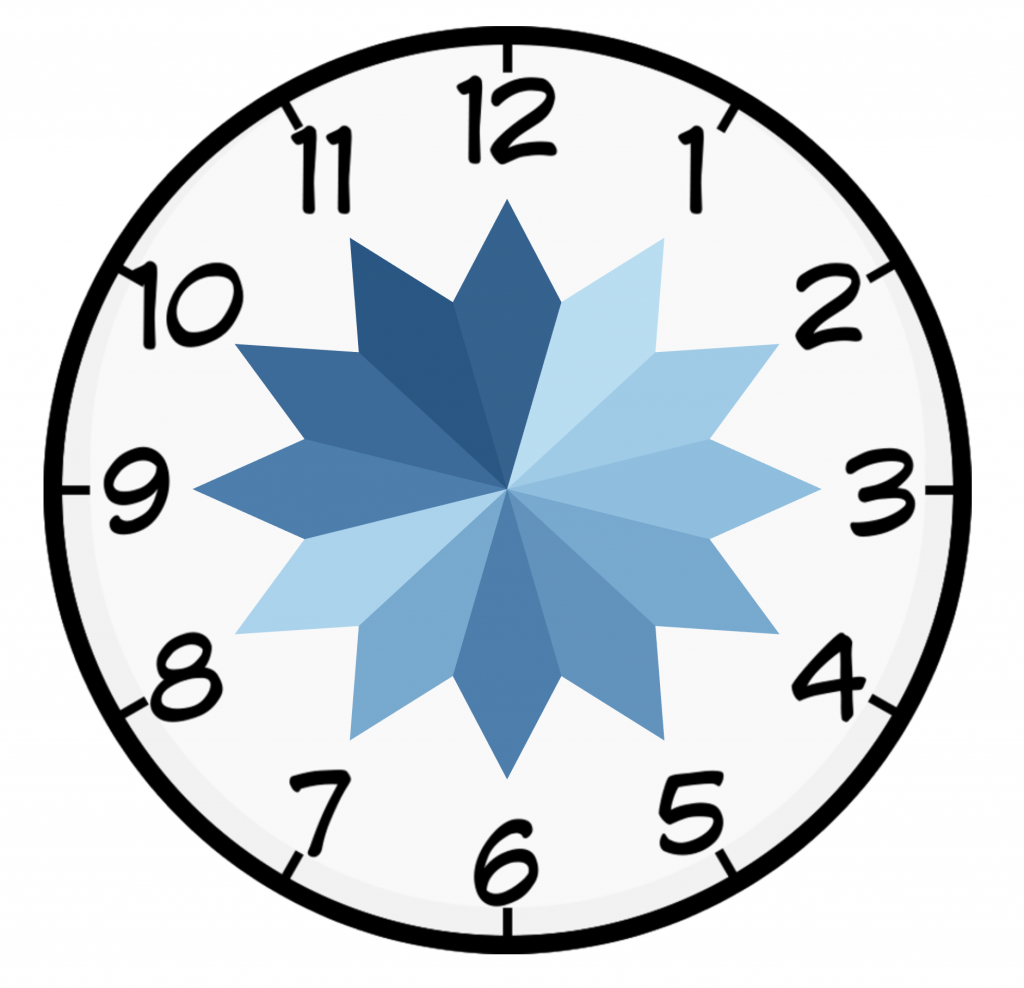
Lastly, we create the Dashboard and use the background image to give some appropriate context.
That’s all & Cheers!